
0 bestanden geliket
100 reacties
0 filmpjes
13 uploads
89 volgers
130.375 downloads
![New Stripper [Add-On Ped / Replace]](https://img.gta5-mods.com/q75-w500-h333-cfill/images/new-stripper-replacement-add-on/ef1697-PGTA5842397708.jpg "New Stripper [Add-On Ped / Replace]")
![Improved A_F_Y_BevHills_02 [Enhanced / Legacy] [Add-On Ped / Replace]](https://img.gta5-mods.com/q75-w500-h333-cfill/images/improved-a_f_y_bevhills_02-enhanced-legacy-add-on-ped-replace/5e1aaa-20250613205938_1.jpg "Improved A_F_Y_BevHills_02 [Enhanced / Legacy] [Add-On Ped / Replace]")
![Ambient Female Ped [Enhanced / Legacy] [Add-On Ped / Replace]](https://img.gta5-mods.com/q75-w500-h333-cfill/images/ambient-female-ped-add-on-ped-replace/be21f6-20250608123343_1.jpg "Ambient Female Ped [Enhanced / Legacy] [Add-On Ped / Replace]")
![Tamaki/Kokoro Bikini (DOA:X) [Add-On Ped / Replace]](https://img.gta5-mods.com/q75-w500-h333-cfill/images/doa-e-tamaki-kokoro-bikini-ped/7a994c-PGTA5851198752.jpg "Tamaki/Kokoro Bikini (DOA:X) [Add-On Ped / Replace]")
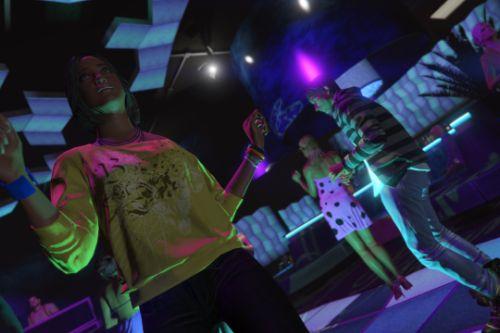
![Party Girls Pack [Add-On Ped/ Replace]](https://img.gta5-mods.com/q75-w500-h333-cfill/images/party-girls-pack/88533c-club_02.jpg "Party Girls Pack [Add-On Ped/ Replace]")
![Modified Beach Girls [Add-On Ped/ Replace]](https://img.gta5-mods.com/q75-w500-h333-cfill/images/modified-beach-girls-add-on-ped-replace/e1cebf-beach_12.jpg "Modified Beach Girls [Add-On Ped/ Replace]")
![MetaHuman Female Ped [Add-On Ped / Replace]](https://img.gta5-mods.com/q75-w500-h333-cfill/images/metahuman-female-ped-add-on-ped-replace/6deb83-PGTA51237586966.jpg "MetaHuman Female Ped [Add-On Ped / Replace]")
![New Topless Girl [Add-On Ped / Replace]](https://img.gta5-mods.com/q75-w500-h333-cfill/images/new-topless-girl-add-on-ped-replace/efe90d-PGTA5832175594.jpg "New Topless Girl [Add-On Ped / Replace]")
 5mods on Discord

@CaptWolfy97 Most file types can be converted by opening legacy in CodeWalker, exporting the files to XML, reopening CodeWalker in enhanced, and re-importing the files. A couple of exceptions for ped-related files:
* Currently YDD files' UV#2 is lost in translation by this process. This means no blood maps. Instead, I export in ZModeler directly for "GTAV Enhanced". I'm sure the same applies in Sollumz
* If you created your YMT files using MetaToolkit, CodeWalker can't properly parse the availComp tag on line 7 and it becomes a hex hash. This will crash your game. If you're in this boat, you'll need to get the original data from this line using MetaToolkit (or just based on your knowledge of the components activated on your ped) and then manually edit the YMT XML export before reimporting it.
@SelfRayRayBusiness Yes I do it this way too but didn't want to explain the process in instructions. Maybe i'll bundle in a dlcpack later
@Generic_Username Youre tripping. Its fully rigged.
@Classic Cars 425 I am only familiar with this working for PC
BTW If you really want to, you can add some music with CW like in https://www.gta5-mods.com/misc/music-for-bahama-mamas-party
@jizzyRael Google how to export Metahumans from UE to blender, after that follow the NCProductions guides to Sollumz: https://www.youtube.com/@NcProductionsDK (Not trivial)
There's also alex189's recordings of doing facial rigging that's pretty helpful, albeit in zmodeler3: https://www.youtube.com/watch?v=rfUnZwWagz0
Some random points:
* As far as adding hair, I'm not certain if metahumans have any card-style hair meshes, so you might have to source your own, either from GTA or the Sims modding community.
* If you care about blood mapping, blood maps are stored in UV#2. Use a vanilla ped as an example.
@nballiro I would personally recommend learning how to use Sollumz instead. Check out this guy's channel: https://www.youtube.com/@NcProductionsDK
Regarding the blood mapping, basically you should observe the UV#2 map of a vanilla ped to see where each body part maps.
To quickly get a blood map cloned from a vanilla body part to a similar body part, do a UV data transfer (example: https://www.youtube.com/watch?v=SOPAICgpoZU&t=179s).
Or else, manually create a UV of the part from a viewport, and edit it to match closely to a vanilla ped. (Tedious, not sure how to do this in blender, ZModeler has an option for this when creating a new UV)
Some more info:
The blood UV map separates the maps for different body parts. There is a separate square for each head, torso, arms, leg, hand.
If your ped has a similar topology to a vanilla ped, you can try exporting to blender and doing this for each body part: https://docs.blender.org/manual/en/latest/modeling/modifiers/modify/data_transfer.html
@st48301245 The YDD file will include UV maps for texture mapping. There is actually a UV #2 that maps blood and bullet holes. These will need to be edited in Zomodeler or similar tool but you can use a vanilla NPC as an example
@st48301245 If you mean bullet wounds, yes