Map Builder Forge 0.1




1.052
11
1.052
11
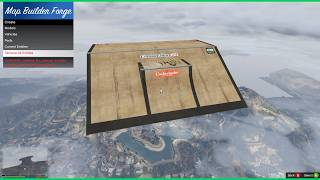
Map Builder Forge is for Grand Theft Auto V singleplayer mode that allows users to create maps directly within the game. The project features a create mode for placing models, vehicles, and peds anywhere in the map. The goal is to give creators an expanded way to build maps in GTA V.
Important: Map Builder Forge is a singleplayer WIP mod that may crash, become unstable past 1,000 entities, and change during development, so save maps often.
Website - https://www.omegakingstudios.com/
Discord Server - https://discord.gg/TxQfyST
Patreon - https://www.patreon.com/omegakingstudios
Requirements:
- ScriptHookV
- ScriptHookV .NET
- NativeUI (1.9.1 recommended)
Optional: (for a better experience / over 1,000 placed entities)
- Modified gameconfig.xml
- Heap Limit Adjuster
- Packfile Limit Adjuster
Saving/Loading Maps:
- Saving creates a map in ".ymap.xml" or ".xml" formats.
- Maps are located inside of your maps folder. (Grand Theft Auto V/scripts/maps)
YMAP Conversions Notes:
- Standard .xml saves and manual conversions using a tool like "menyoo to ymap converter" is recommended for accurate placement conversions.
- Experimental: Dragging a ".ymap.xml" map file into OpenIV converts the map to a finished ".ymap" file.
Mod Installation:
- Install Requirements
- Add everything to your "scripts" folder located inside of your GTA V directory. (create a scripts folder if you don't have one)
Keyboard/Mouse Controls:
(F5) - Open/Close Main Menu
(Arrow Keys/Mouse Wheel) - Scroll List
(Enter/Left Click) - Select Item
(Backspace/Spacebar/ESC) - Back/Cancel
(Delete) - Delete Entity
(TAB) - Toggle Movement/Rotation Mode
(WASD) - Movement
(L Shift/L CTRL) - Vertical Movement
(W/S) - Pitch Rotation
(A/D) - Yaw Rotation
(Q/E) - Roll Rotation
(F) - Reset Rotation
(X) - Entity Properties Menu
(V) - Duplicate Entity
(Right Click) - Cycle Speed Mode
(Mouse Wheel/C/Z) - Zoom Camera
Gamepad Controls:
(RB & Dpad Down) - Open/Close Main Menu
(Dpad Up/Down) - Scroll List
(A) - Select Item
(B) - Back/Cancel
(X) - Delete Entity
(Y) - Toggle Movement/Rotation Mode
(Left Stick) - Movement
(Trigger Left/Right) - Vertical Movement
(Left Stick) - Pitch Rotation
(Left Stick) - Yaw Rotation
(Trigger Left/Right) - Roll Rotation
(Dpad Down) - Reset Rotation
(Select) - Entity Properties Menu
(Right Stick Click) - Duplicate Entity
(Left Stick Click) - Cycle Speed Mode
(LB & Right Stick Up/Down) - Zoom Camera
v0.1:
- Launch. Placement/Edit Mode for creating maps in .ymap.xml format.
- Dedicated Movement/Rotation modes.
- Default/Fast/Precision modes.
- Models/Vehicles/Peds placement modes.
- Entity Properties for precise manual editing.
- Static/Dynamic toggling for entities in Entity Properties.
- Entity Properties have free cam editing capabilities using hover selection.
- Vehicles snap to ground surface / water naturally.
- No set model placement limits by the script. (limited to built in game limits)
Important: Map Builder Forge is a singleplayer WIP mod that may crash, become unstable past 1,000 entities, and change during development, so save maps often.
Website - https://www.omegakingstudios.com/
Discord Server - https://discord.gg/TxQfyST
Patreon - https://www.patreon.com/omegakingstudios
Requirements:
- ScriptHookV
- ScriptHookV .NET
- NativeUI (1.9.1 recommended)
Optional: (for a better experience / over 1,000 placed entities)
- Modified gameconfig.xml
- Heap Limit Adjuster
- Packfile Limit Adjuster
Saving/Loading Maps:
- Saving creates a map in ".ymap.xml" or ".xml" formats.
- Maps are located inside of your maps folder. (Grand Theft Auto V/scripts/maps)
YMAP Conversions Notes:
- Standard .xml saves and manual conversions using a tool like "menyoo to ymap converter" is recommended for accurate placement conversions.
- Experimental: Dragging a ".ymap.xml" map file into OpenIV converts the map to a finished ".ymap" file.
Mod Installation:
- Install Requirements
- Add everything to your "scripts" folder located inside of your GTA V directory. (create a scripts folder if you don't have one)
Keyboard/Mouse Controls:
(F5) - Open/Close Main Menu
(Arrow Keys/Mouse Wheel) - Scroll List
(Enter/Left Click) - Select Item
(Backspace/Spacebar/ESC) - Back/Cancel
(Delete) - Delete Entity
(TAB) - Toggle Movement/Rotation Mode
(WASD) - Movement
(L Shift/L CTRL) - Vertical Movement
(W/S) - Pitch Rotation
(A/D) - Yaw Rotation
(Q/E) - Roll Rotation
(F) - Reset Rotation
(X) - Entity Properties Menu
(V) - Duplicate Entity
(Right Click) - Cycle Speed Mode
(Mouse Wheel/C/Z) - Zoom Camera
Gamepad Controls:
(RB & Dpad Down) - Open/Close Main Menu
(Dpad Up/Down) - Scroll List
(A) - Select Item
(B) - Back/Cancel
(X) - Delete Entity
(Y) - Toggle Movement/Rotation Mode
(Left Stick) - Movement
(Trigger Left/Right) - Vertical Movement
(Left Stick) - Pitch Rotation
(Left Stick) - Yaw Rotation
(Trigger Left/Right) - Roll Rotation
(Dpad Down) - Reset Rotation
(Select) - Entity Properties Menu
(Right Stick Click) - Duplicate Entity
(Left Stick Click) - Cycle Speed Mode
(LB & Right Stick Up/Down) - Zoom Camera
v0.1:
- Launch. Placement/Edit Mode for creating maps in .ymap.xml format.
- Dedicated Movement/Rotation modes.
- Default/Fast/Precision modes.
- Models/Vehicles/Peds placement modes.
- Entity Properties for precise manual editing.
- Static/Dynamic toggling for entities in Entity Properties.
- Entity Properties have free cam editing capabilities using hover selection.
- Vehicles snap to ground surface / water naturally.
- No set model placement limits by the script. (limited to built in game limits)
Eerste Upload: 12 maart 2026
Laatst bijgewerkt: 12 maart 2026
Laatst Gedownload: 2 uur geleden
4 Reacties
Map Builder Forge is for Grand Theft Auto V singleplayer mode that allows users to create maps directly within the game. The project features a create mode for placing models, vehicles, and peds anywhere in the map. The goal is to give creators an expanded way to build maps in GTA V.
Important: Map Builder Forge is a singleplayer WIP mod that may crash, become unstable past 1,000 entities, and change during development, so save maps often.
Website - https://www.omegakingstudios.com/
Discord Server - https://discord.gg/TxQfyST
Patreon - https://www.patreon.com/omegakingstudios
Requirements:
- ScriptHookV
- ScriptHookV .NET
- NativeUI (1.9.1 recommended)
Optional: (for a better experience / over 1,000 placed entities)
- Modified gameconfig.xml
- Heap Limit Adjuster
- Packfile Limit Adjuster
Saving/Loading Maps:
- Saving creates a map in ".ymap.xml" or ".xml" formats.
- Maps are located inside of your maps folder. (Grand Theft Auto V/scripts/maps)
YMAP Conversions Notes:
- Standard .xml saves and manual conversions using a tool like "menyoo to ymap converter" is recommended for accurate placement conversions.
- Experimental: Dragging a ".ymap.xml" map file into OpenIV converts the map to a finished ".ymap" file.
Mod Installation:
- Install Requirements
- Add everything to your "scripts" folder located inside of your GTA V directory. (create a scripts folder if you don't have one)
Keyboard/Mouse Controls:
(F5) - Open/Close Main Menu
(Arrow Keys/Mouse Wheel) - Scroll List
(Enter/Left Click) - Select Item
(Backspace/Spacebar/ESC) - Back/Cancel
(Delete) - Delete Entity
(TAB) - Toggle Movement/Rotation Mode
(WASD) - Movement
(L Shift/L CTRL) - Vertical Movement
(W/S) - Pitch Rotation
(A/D) - Yaw Rotation
(Q/E) - Roll Rotation
(F) - Reset Rotation
(X) - Entity Properties Menu
(V) - Duplicate Entity
(Right Click) - Cycle Speed Mode
(Mouse Wheel/C/Z) - Zoom Camera
Gamepad Controls:
(RB & Dpad Down) - Open/Close Main Menu
(Dpad Up/Down) - Scroll List
(A) - Select Item
(B) - Back/Cancel
(X) - Delete Entity
(Y) - Toggle Movement/Rotation Mode
(Left Stick) - Movement
(Trigger Left/Right) - Vertical Movement
(Left Stick) - Pitch Rotation
(Left Stick) - Yaw Rotation
(Trigger Left/Right) - Roll Rotation
(Dpad Down) - Reset Rotation
(Select) - Entity Properties Menu
(Right Stick Click) - Duplicate Entity
(Left Stick Click) - Cycle Speed Mode
(LB & Right Stick Up/Down) - Zoom Camera
v0.1:
- Launch. Placement/Edit Mode for creating maps in .ymap.xml format.
- Dedicated Movement/Rotation modes.
- Default/Fast/Precision modes.
- Models/Vehicles/Peds placement modes.
- Entity Properties for precise manual editing.
- Static/Dynamic toggling for entities in Entity Properties.
- Entity Properties have free cam editing capabilities using hover selection.
- Vehicles snap to ground surface / water naturally.
- No set model placement limits by the script. (limited to built in game limits)
Important: Map Builder Forge is a singleplayer WIP mod that may crash, become unstable past 1,000 entities, and change during development, so save maps often.
Website - https://www.omegakingstudios.com/
Discord Server - https://discord.gg/TxQfyST
Patreon - https://www.patreon.com/omegakingstudios
Requirements:
- ScriptHookV
- ScriptHookV .NET
- NativeUI (1.9.1 recommended)
Optional: (for a better experience / over 1,000 placed entities)
- Modified gameconfig.xml
- Heap Limit Adjuster
- Packfile Limit Adjuster
Saving/Loading Maps:
- Saving creates a map in ".ymap.xml" or ".xml" formats.
- Maps are located inside of your maps folder. (Grand Theft Auto V/scripts/maps)
YMAP Conversions Notes:
- Standard .xml saves and manual conversions using a tool like "menyoo to ymap converter" is recommended for accurate placement conversions.
- Experimental: Dragging a ".ymap.xml" map file into OpenIV converts the map to a finished ".ymap" file.
Mod Installation:
- Install Requirements
- Add everything to your "scripts" folder located inside of your GTA V directory. (create a scripts folder if you don't have one)
Keyboard/Mouse Controls:
(F5) - Open/Close Main Menu
(Arrow Keys/Mouse Wheel) - Scroll List
(Enter/Left Click) - Select Item
(Backspace/Spacebar/ESC) - Back/Cancel
(Delete) - Delete Entity
(TAB) - Toggle Movement/Rotation Mode
(WASD) - Movement
(L Shift/L CTRL) - Vertical Movement
(W/S) - Pitch Rotation
(A/D) - Yaw Rotation
(Q/E) - Roll Rotation
(F) - Reset Rotation
(X) - Entity Properties Menu
(V) - Duplicate Entity
(Right Click) - Cycle Speed Mode
(Mouse Wheel/C/Z) - Zoom Camera
Gamepad Controls:
(RB & Dpad Down) - Open/Close Main Menu
(Dpad Up/Down) - Scroll List
(A) - Select Item
(B) - Back/Cancel
(X) - Delete Entity
(Y) - Toggle Movement/Rotation Mode
(Left Stick) - Movement
(Trigger Left/Right) - Vertical Movement
(Left Stick) - Pitch Rotation
(Left Stick) - Yaw Rotation
(Trigger Left/Right) - Roll Rotation
(Dpad Down) - Reset Rotation
(Select) - Entity Properties Menu
(Right Stick Click) - Duplicate Entity
(Left Stick Click) - Cycle Speed Mode
(LB & Right Stick Up/Down) - Zoom Camera
v0.1:
- Launch. Placement/Edit Mode for creating maps in .ymap.xml format.
- Dedicated Movement/Rotation modes.
- Default/Fast/Precision modes.
- Models/Vehicles/Peds placement modes.
- Entity Properties for precise manual editing.
- Static/Dynamic toggling for entities in Entity Properties.
- Entity Properties have free cam editing capabilities using hover selection.
- Vehicles snap to ground surface / water naturally.
- No set model placement limits by the script. (limited to built in game limits)
Eerste Upload: 12 maart 2026
Laatst bijgewerkt: 12 maart 2026
Laatst Gedownload: 2 uur geleden
 5mods on Discord

@OmegaKingMods Is there any way to change the "F5" Menu key to something else or that's not possible at the moment? Also, does this requires installation of the main "Map Builder" dlc or is this a "stand alone" mod similar to the original "Map Builder" that doesn't require the installation of the dlc?
@JAM102970 I'll add a way to change that in a future update. It doesn't require Map Builder unless you want the custom models.
@OmegaKingMods Are there any fences or barriers? For example, to add a fence around any house in the game. And to be able to save it in the game. Or is it not possible to do this in the game?
@OmegaKingMods hey,Why not use the latest lemonUI